
Velocity Executor for PC is the premier free Roblox script executor for Windows 10 and Windows 11. With a 98% UNC score, Byfron bypass, instant script execution, and zero key requirements, Velocity is the most capable free executor available on PC in 2026.
Latest Version 2.8.5 | Windows 10/11 (64-bit) | Feb 4, 2026
All Velocity Executor Pages
Why Velocity Executor PC Is the Best Choice
Windows PC is the optimal platform for Roblox script execution. Here's why Velocity on PC outperforms every mobile alternative:
98% UNC Score
The highest UNC compatibility of any free executor. Virtually every public Roblox script runs without modification on the PC version.
Fastest Injection
PC's direct process injection via DLL delivers microsecond injection speeds. Mobile executors require slower bytecode patching approaches.
Full API Access
All Velocity API functions — filesystem, closures, HTTP, input simulation — are available on PC. Mobile platforms restrict several of these.
Script Editor
Full-featured script editor with syntax highlighting, multi-tab support, and a script hub — only available on the PC version.
Byfron Bypass
PC's memory access privileges allow a complete Byfron anti-cheat bypass. Mobile versions face additional kernel-level restrictions.
Auto-Update
The built-in auto-updater patches Velocity within 2–4 hours of Roblox updates. Stay current without manually re-downloading.
Windows 10 vs Windows 11 — Compatibility Guide
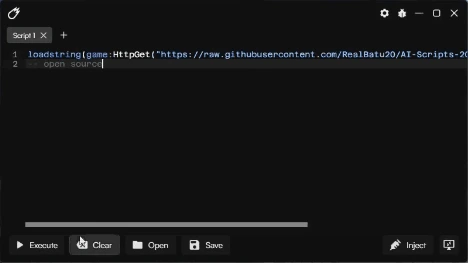
Velocity Executor runs on all major Windows 10 and Windows 11 builds
Windows 10 (64-bit)
Fully supported from version 1909 onwards. Recommended build: 22H2 (latest). All features including filesystem API, script editor, and auto-inject work without configuration.
Windows 11
Fully supported on all Windows 11 versions including the 24H2 build (v2.8.5 fixed a 24H2 crash). TPM 2.0 and Secure Boot do not affect Velocity's operation.
32-bit Windows not supported. Velocity requires 64-bit Windows. Check Settings → System → About → System type to confirm you are on a 64-bit OS.
Complete PC Setup Guide
Follow this optimised setup process to get Velocity running with the best performance and fewest errors on your Windows PC.
-
1
Install prerequisites: Install Visual C++ 2015–2022 Redistributable (x64 and x86) and .NET Framework 4.8 from Microsoft. These are required and missing them causes most startup errors.
-
2
Create exclusion folder: Create a dedicated folder at
C:\Velocity\. Open Windows Security → Virus & threat protection → Manage settings → Add or remove exclusions → Add a folder → selectC:\Velocity\. -
3
Download & extract: Download Velocity v2.8.5 and extract the .7z archive into
C:\Velocity\using 7-Zip. -
4
Create a shortcut: Right-click
Velocity.exe→ Create shortcut → move the shortcut to your Desktop. Right-click the shortcut → Properties → Advanced → check "Run as administrator" → OK. -
5
Install Roblox via browser: For best compatibility, install Roblox by launching a game from roblox.com in your browser, not from the Microsoft Store. The Microsoft Store version uses process isolation that can interfere with injection.
-
6
Launch sequence: Always open Velocity first, then launch Roblox. Once fully in-game (not on the loading screen), click Inject in Velocity. Wait for "Injected Successfully" before executing scripts.
-
7
Enable auto-update: In Velocity's settings panel, enable the auto-update option. This ensures you're notified and updated within hours of a Roblox patch without having to re-download manually.
PC Performance Tips for Best Results
These optimisations improve injection stability and script execution performance on Windows PC:
Set Roblox to Low Graphics
Lower Roblox graphics to level 1–3 in Settings. Reduces GPU/CPU load and minimises crashes during injection, especially on older PCs.
Close Background Apps
Close Chrome, Discord, and other RAM-heavy apps before injecting. Velocity and Roblox together benefit from having at least 4 GB RAM free.
Use Private Servers
Execute scripts in private servers when possible. Less server activity means lower detection risk and more stable script performance.
Keep GPU Drivers Updated
Outdated GPU drivers are a common cause of Roblox crashes post-injection. Update via your GPU manufacturer's software (NVIDIA, AMD, or Intel).
PC System Requirements
- Windows 10 (64-bit) version 1909 or higher — or Windows 11 (all versions)
- 4 GB RAM minimum (8 GB recommended for stable multi-script execution)
- 500 MB free disk space (SSD recommended for faster injection)
- .NET Framework 4.8 or newer
- Visual C++ 2015–2022 Redistributable (x64 and x86 versions)
- DirectX 11 compatible graphics card
- Internet connection for auto-updates and HTTP API scripts
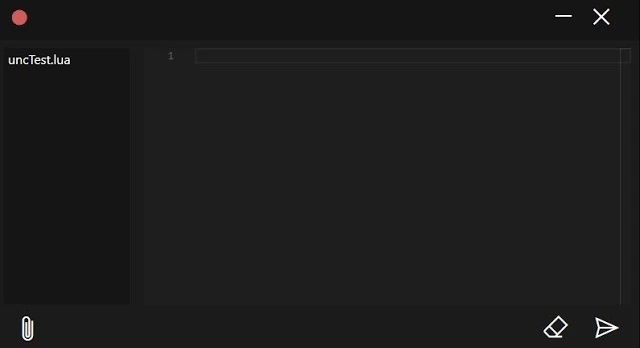
Velocity Executor running on a Windows 11 PC with optimal settings applied
Velocity Executor PC — FAQ
Does Velocity work on Windows 11 with Secure Boot enabled?
Yes. Secure Boot and TPM 2.0 do not affect Velocity's operation. These Windows 11 security features operate at the boot level and do not interfere with user-space DLL injection into Roblox. You do not need to disable Secure Boot.
Can I run Velocity on a low-end PC or laptop?
Yes, as long as your PC meets the minimum requirements (4 GB RAM, 64-bit Windows 10/11, DirectX 11). Lower Roblox graphics settings to reduce load. Velocity itself uses very little CPU and RAM — the main resource cost comes from Roblox itself.
Can I use Velocity on multiple PCs?
Yes. Velocity has no hardware lock or activation system. You can copy the extracted Velocity folder to any Windows PC and run it there. Remember to add the folder to Windows Defender exclusions on each new machine.
Will Velocity work after Roblox updates on PC?
Roblox updates can temporarily break injection. Velocity's team releases updates within 2–4 hours of major Roblox patches. Enable auto-update in Velocity's settings to get notified immediately. Minor Roblox updates usually don't require a new Velocity version.
Can I run Velocity on a Mac or Linux PC?
Velocity is a native Windows application and does not run on macOS or Linux natively. Mac users may try running it through a Windows virtual machine (Parallels, VMware) or Boot Camp, though performance and injection compatibility on virtual machines is not guaranteed.
Download Velocity Executor for PC Now
The best free Roblox executor for Windows is one click away. No keys, no fees, instant setup on Windows 10 and 11.